
Zisson Interact – 2026-02
18/03/2026
Overview
This release focuses on improving agent productivity, operational visibility, AI automation capabilities, and security for customer interactions. Several improvements have been made across chat, wallboards, AI integrations, user experience, and customer identification.
Chat Improvements:
Agent Chat Alias
Chat Message Log with Timestamps
Controlled Access to Customer IP Addresses
Wallboard Improvements:
New Agent Live Pause Status Widget
User Experience Improvements:
Dark Mode
Agent Status Indicator in Browser Tabs
Time Module Improvements
AI and Automation:
AI Live Insights – Automatic Updates
AI Virtual Voice Agent (Early Access)
AI Voice Agent Connector
AI Chat Integrations:
OpenAI and Azure OpenAI Responses API Support
Customer Identification and Security:
VIPPS Identification
Secure Authentication for Chat Widget User
Integrations:
Tele2 Växel Call Forwarding
Stability and Improvements:
Stability and Improvements
Chat Improvements:
Agent Chat Alias
What’s coming
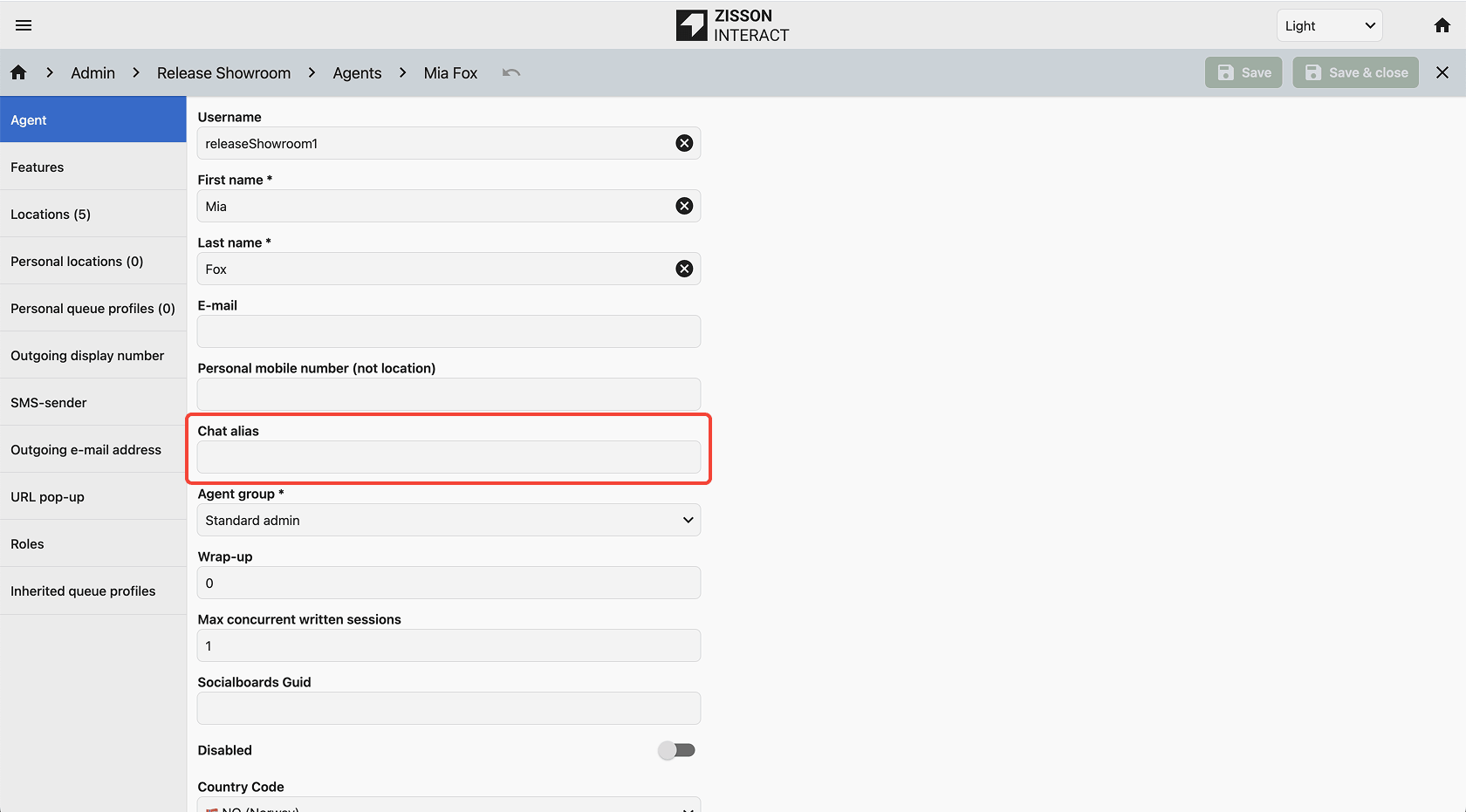
Agents can now use a custom alias when communicating with customers in chat. This allows agents to use an alternative display name instead of their personal name when sending chat messages.
The feature can be used to protect agent identity, standardize naming conventions, or present a consistent communication style.
Examples of aliases may include:
- First name only
- Team or role name
- Service function name
How it works
A new Chat Alias field has been added in Agent Administration. Administrators can define a custom alias for each agent. When an alias is configured, the alias will appear as the sender name in customer chat conversations.
How to use
Administrators configure the alias in Agent Admin settings. If no alias is defined, the system automatically falls back to the agent’s default name.
Chat Message Log with Timestamps
What’s coming
Chat conversation history now includes clear timestamps for messages and system events.
How it works
Each message and system event in a chat now displays a timestamp. The chat also shows start and end times, and hovering over a timestamp reveals the full date and time.
How to use
Automatically available for all customers using Zisson Interact chat.
Controlled Access to Customer IP Addresses
What’s coming
Controlled access to customer IP addresses in chat conversations. This supports use cases where reliable customer identification is critical, such as security-related incidents or emergency service involvement.
How it works
Customer IP addresses can be captured at the chat entry point when enabled. The IP address is stored with the conversation and access to view it is controlled through role-based agent feature settings.
How to use
Available for all customers running Zisson Interact chat.
Wallboard Improvements:
New Agent Live Pause Status Widget
What’s coming
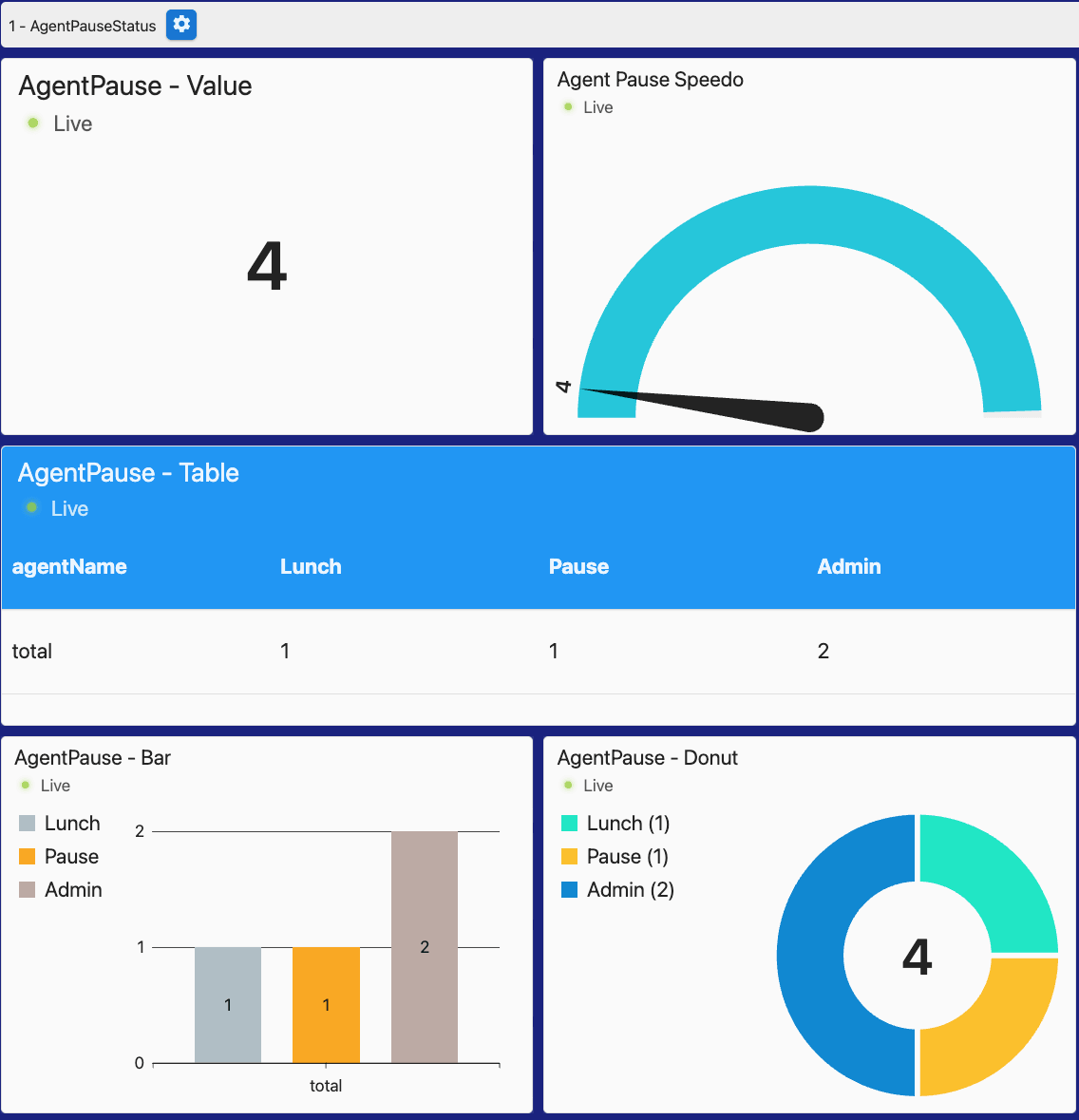
A new widget provides real-time visibility of agent pause statuses on Wallboard 2.0.
How it works
Pause types can have colors configured in ZI Admin and the widget visualizes agents grouped by pause type.
- One value view
- Speedometer
- Donut chart
- Bar chart
- Table view
How to use
Available for customers using Advanced Wallboard 2.0.
User Experience Improvements:
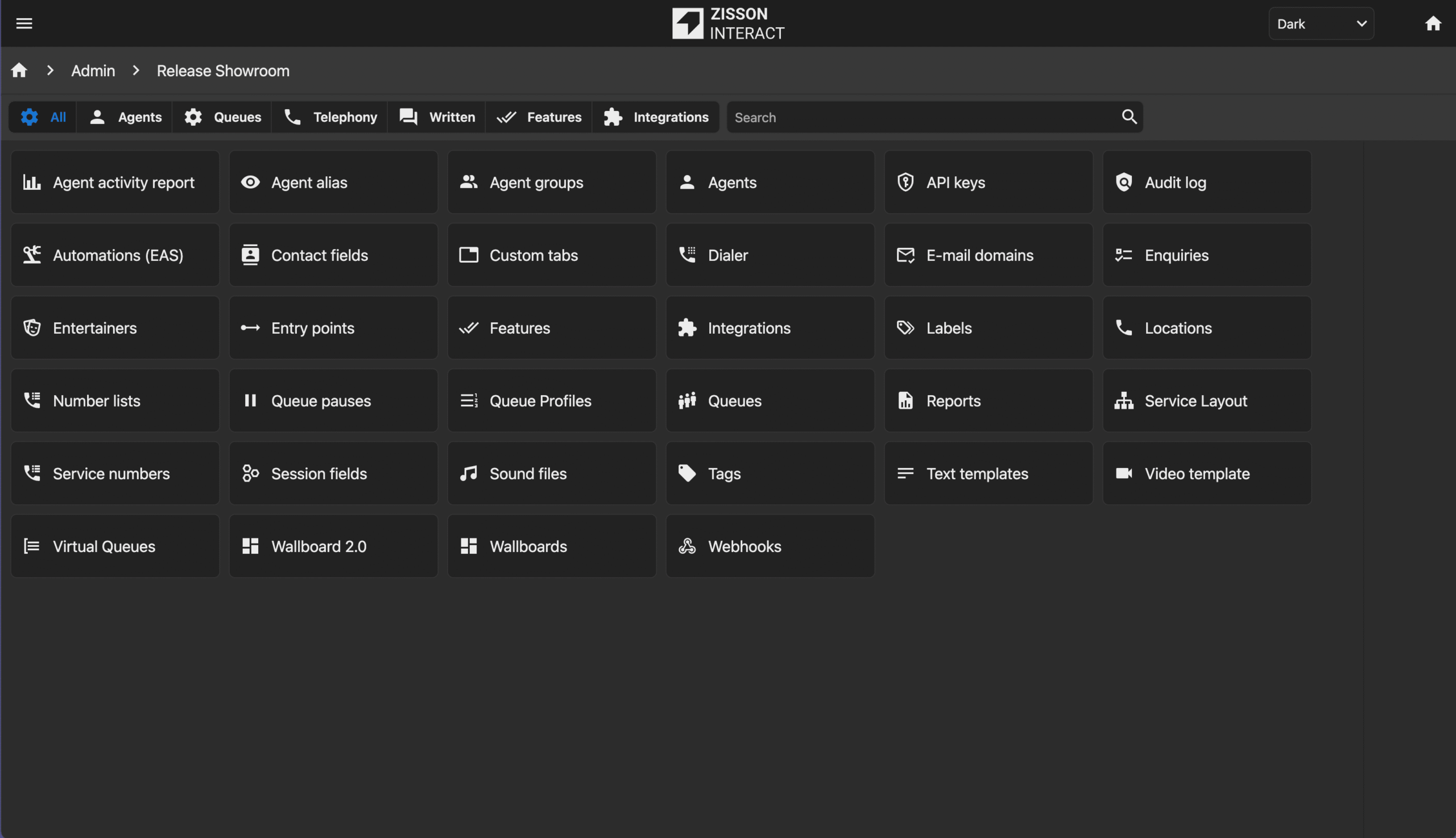
Dark Mode
What’s coming
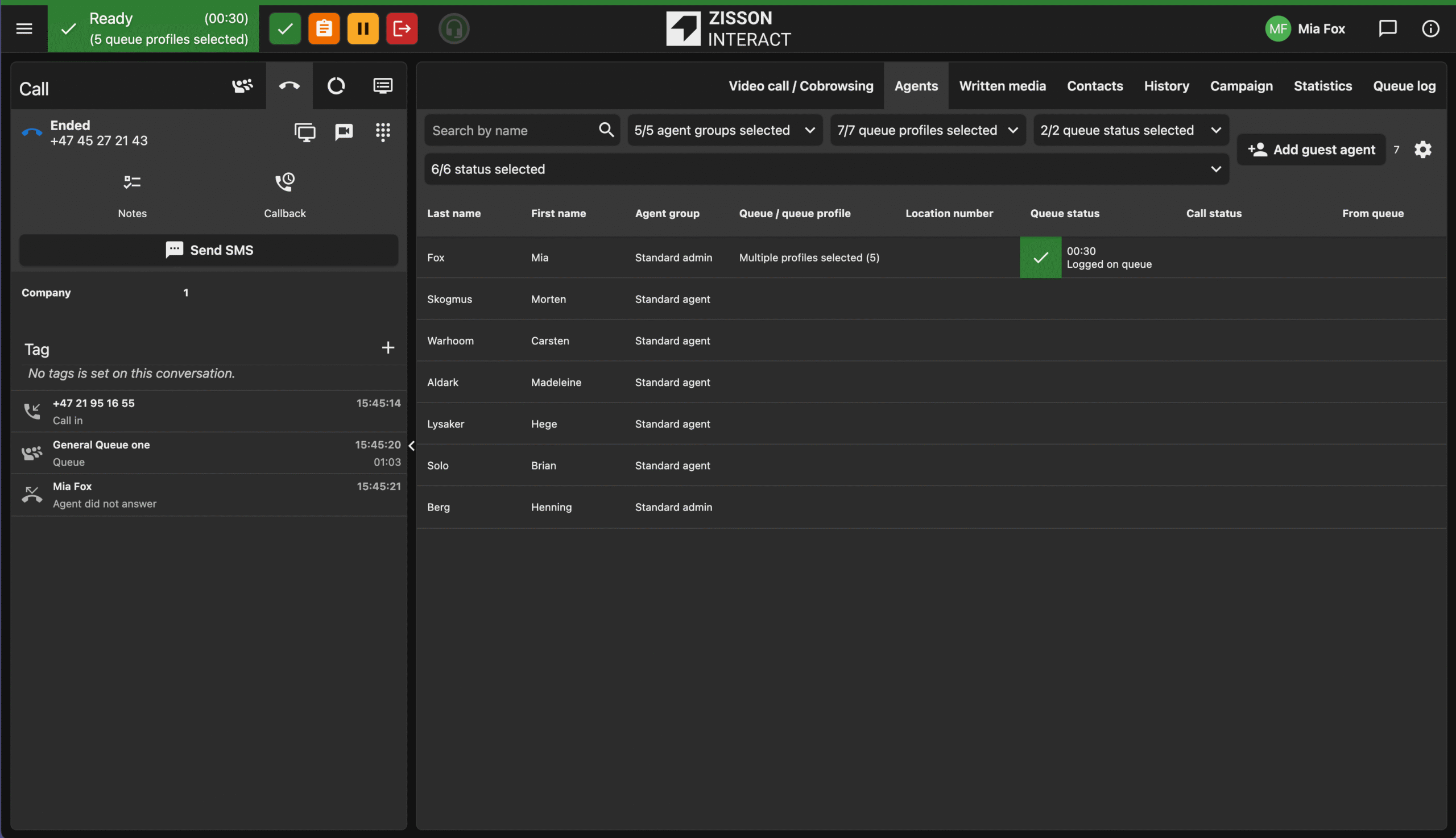
Users can now choose between Light Mode, Dark Mode, or Follow System to match operating system preferences.
How it works
The user interface theme adapts to the selected appearance mode, improving accessibility and reducing eye strain.
How to use
Users can select their preferred appearance in the application settings.
Agent Status Indicator in Browser Tabs
What’s coming
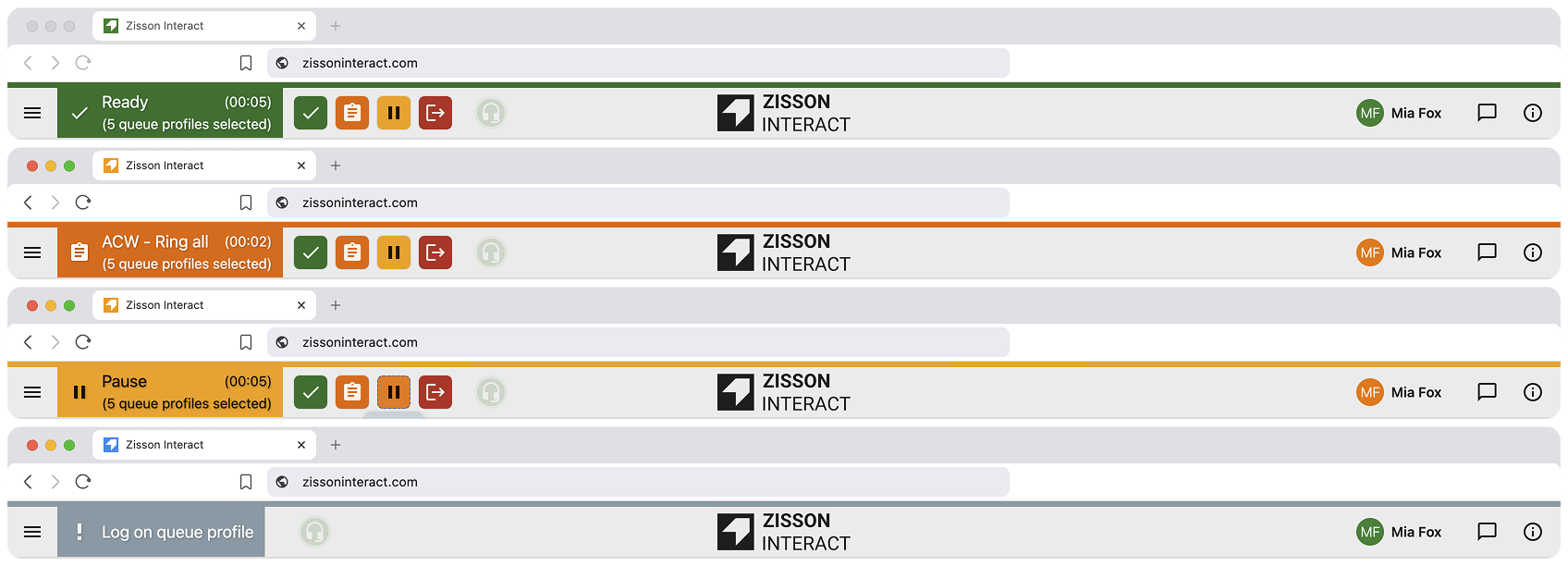
Improved visibility of agent status in browser tabs and app window headers.
How it works
The browser tab icon changes color depending on agent status, allowing agents to notice ringing calls or other status changes while working in other applications.
How to use
Automatically enabled for all users.
Time Module Improvements
What’s coming
Entries in the Time Module are now displayed in chronological order.
How it works
Opening hours and time-based configurations are automatically sorted in sequential order.
How to use
Available automatically for all users managing opening hours.
AI and Automation:
AI Live Insights – Automatic Updates
What’s coming
AI-generated categories and enquiry logs now update automatically in the call panel.
How it works
When AI finishes processing a call, results are automatically populated in the conversation panel without requiring a refresh.
How to use
Available to customers using AI Live Insights.
AI Virtual Voice Agent (Early Access)
What’s coming
An internal AI Voice Agent capable of handling inbound calls directly in Zisson Interact.
How it works
The voice agent can answer calls, conduct natural conversations, collect information, and route callers based on intent.
How to use
Configured in Admin → Voice Agents.
AI Voice Agent Connector
What’s coming
Support for connecting external conversational voice bots to Zisson Interact.
How it works
External voice agents can interact with callers, collect information, and trigger actions such as queue transfers or metadata storage.
How to use
Available as early access add-on integration.
AI Chat Integrations:
OpenAI and Azure OpenAI Responses API Support
What’s coming
The Chat Agent Connector now supports both OpenAI and Azure OpenAI using the Responses API.
How it works
Administrators can configure connectors to different AI providers and associate them with prompt definitions that control agent behavior.
How to use
Available as an add-on integration.
Customer Identification and Security:
VIPPS Identification
What’s coming
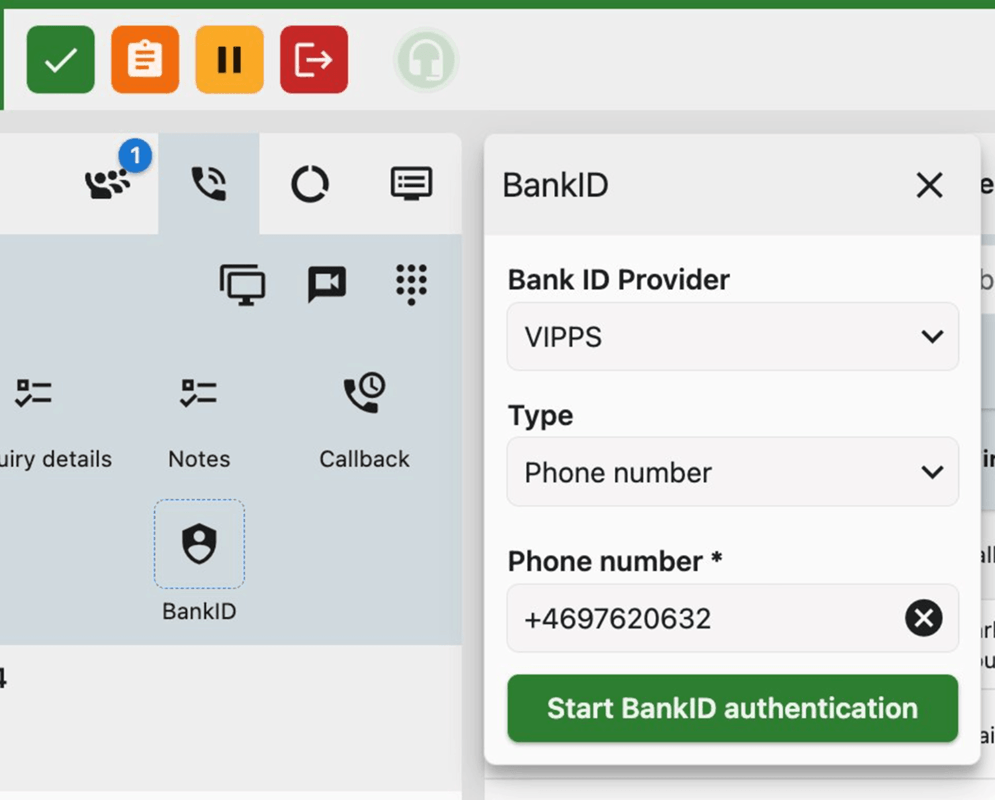
Support for VIPPS customer identification in voice interactions.
How it works
Customers can verify their identity during IVR or during a conversation with an agent. Once verified, customer information is displayed in the call panel.
How to use
Available as an add-on service for the Norwegian market.
Secure Authentication for Chat Widget Users
What’s coming
Customers can require users to authenticate before starting or continuing a chat using the web portal’s identity service.
How it works
Authentication can be performed using external identity providers on the webservice and injected into the Zisson chat widget.
How to use
Configured per chat entry point through Identity Service settings.
Integrations:
Tele2 Växel Call Forwarding
What’s coming
Agents can now manage Tele2 call forwarding directly in Zisson Interact.
How it works
When updating presence status through the Tele2 contact menu, agents can also configure call forwarding to another number, a contact, or voicemail.
How to use
Available for customers using the Tele2 Växel integration.
Stability and Improvements
What’s coming
This release also includes a range of stability improvements and bug fixes across the platform, including improvements in wallboards, chat widgets, dropdown navigation, search filters, softphone audio handling, message board functionality and general error handling.