
Zisson Release Notes – 2026-06
14/10/2026
Overview
The 2026-06 release focuses on smarter routing of written media, a native email channel that works like a modern email client, and greater transparency in History and AI voice flows. It introduces agent capacity rules that keep urgent chats flowing even when written quotas are full, major email UX improvements, including rich text formatting and attachments, as the first step towards a fully fledged email channel, clearer traceability for manual SMS and deleted recordings in History, and an audit log for AI Voice Agents. The release also extends Business Unit–based queue access to Wallboard and Reports, adds new dialler reports and more flexible callback booking, and includes bug fixes and functional improvements.
Routing:
Agent Capacity Rules
Email:
Modern Email Experience
AI:
Voice Agent Call States
Voice Agent Audit Log
UX:
Manual Callback
History:
Dynamic Marker Updates
Manual SMS Traceability
Admin:
Dialler Reports
Stability and Improvements:
Bug fixes and functional improvements
Routing:
Agent Capacity Rules
What’s Coming
Enhanced prioritisation for real-time written interactions, ensuring urgent chats are not blocked by less time-sensitive tasks.
How It Works
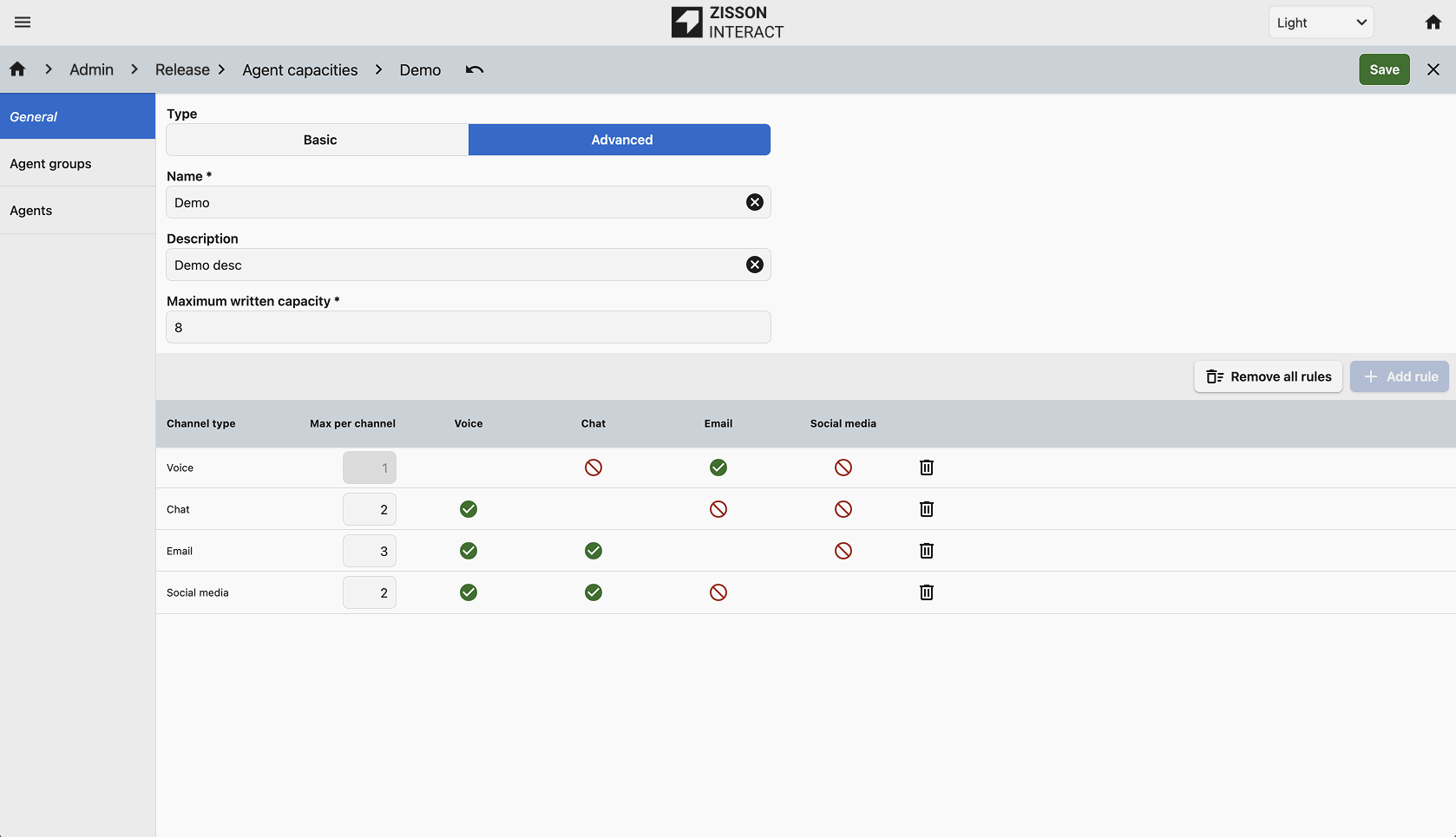
- Administrators can configure written media quotas that allow specific high-priority types, such as Chat or Messenger, to bypass the standard concurrent session limit.
- Agents can always receive urgent chats, even when their general email or written quota is full.
- The item type of a written media item can be set per entry point, and all written media types are now shown in the agent monitor.
How to Use
Available for all customers using written media. Set up agent capacity rules in Admin and link them to agents or agent groups.
Email:
Modern Email Experience
What’s Coming
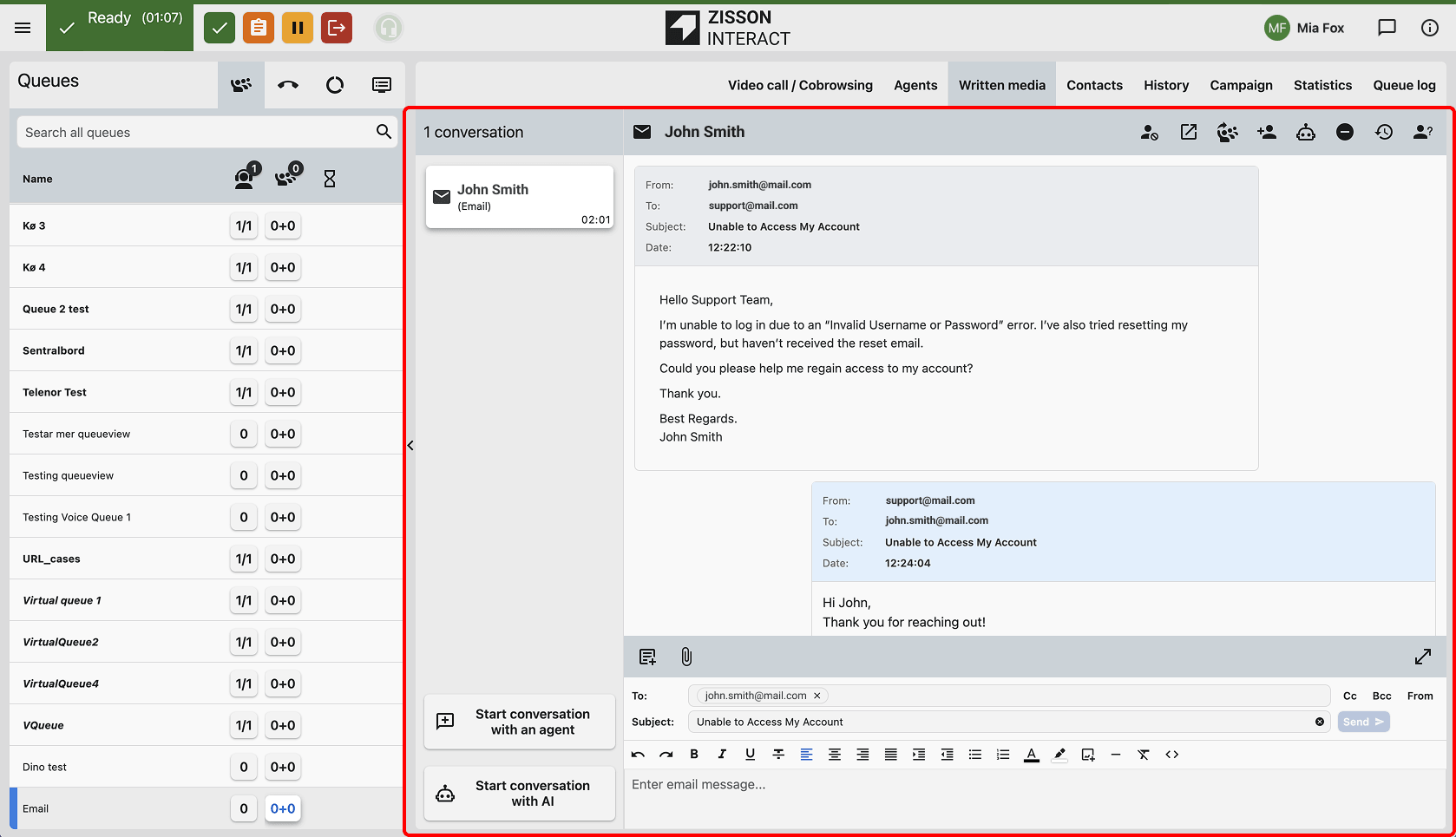
Major UX improvements to the native email channel, bringing the look and feel of a modern email client into Zisson Interact — the first step towards a fully fledged email channel.
How It Works
- A new rich text editor supports formatting and direct image pasting when writing and sending emails.
- The To and CC fields are supported and editable, and the email box resizes dynamically.
- Rich text emails are also shown in History.
How to Use
Available in the written media tab for all email interactions.
AI:
Voice Agent Call States
What’s Coming
Improved visibility into AI transfers, completing the work started in the 2026-05 release.
How It Works
Call states and peer information are now captured and displayed correctly when a virtual agent transfers a caller to an external number. If the transfer target is busy or invalid, the call now returns to the voice agent.
How to Use
Automatic for customers using AI Voice Agent.
Voice Agent Audit Log
What’s Coming
A new audit log for AI Voice Agents, making it possible to follow and monitor the call flow and tool calls.
How It Works
Voice agent connections, flow steps and tool calls are logged, and older log entries are cleaned up automatically.
How to Use
Initially available to Zisson Support and Customer Success.
UX:
Manual Callback
What’s Coming
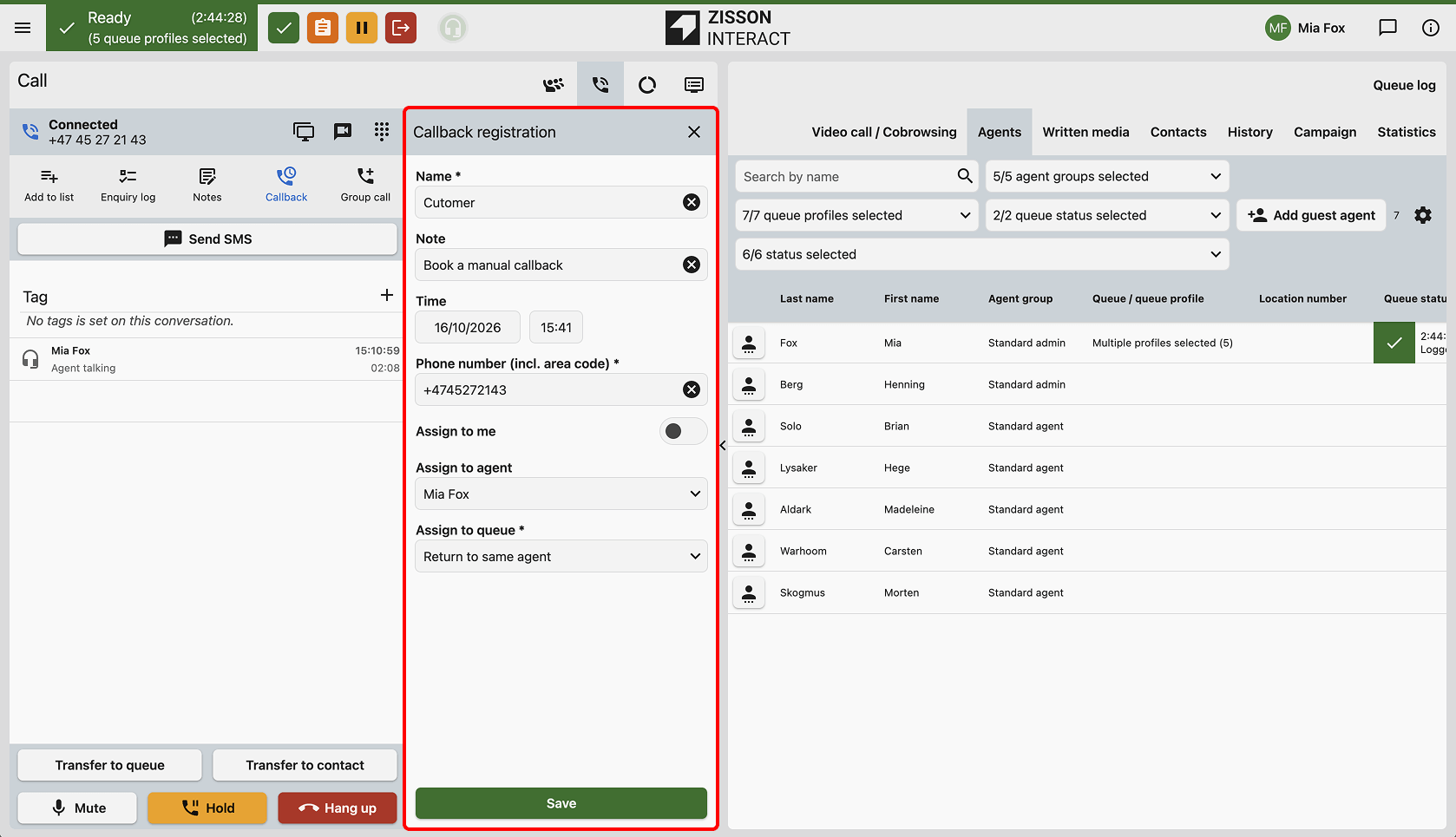
Greater flexibility when scheduling callbacks directly from the call panel.
How It Works
The book callback icon is now always available on the call panel — also when the agent is free or handling a written media conversation.
How to Use
Available for all users of the call panel.
History:
Dynamic Marker Updates
What’s Coming
A more accurate, real-time view of interactions that include stored recordings or transcriptions.
How It Works
The history table now removes recording and transcript markers immediately after the corresponding file is deleted.
How to Use
Enabled for all users of the new History view.
Manual SMS Traceability
What’s Coming
Improved traceability for manual SMS interactions in History.
How It Works
The history details now show the name of the agent who sent a manual SMS. If no agent is identified, the message is shown as “System message”.
How to Use
Available for all customers using SMS.
Admin:
Dialler Reports
What’s Coming
New reports giving better insight into dialler outcomes per campaign and per agent.
How It Works
Three new reports have been added:
- Campaign Performance
- Dialler Queue Operations
- Dialler Agent Productivity
How to Use
Available as new reports in the report admin for customers using the dialler.
Bug fixes and functional improvements
This release also includes multiple bug fixes and functional improvements across the platform.
- Admin: Fixed an issue where custom tabs could not be reordered using drag and drop.
- Translations: Corrected the Swedish translation for multiple written media tickets (“samtal” changed to “chattar”) and added the missing Norwegian translation for Teams status in the contact search.
- History: Callback sub-conversation IDs are now searchable in History.
- Chat Widget: Added a missing query key name in the widget configuration URL, preventing enterprise reverse proxies from blocking requests.
- Call Panel: The agent status in the call pane now updates dynamically between “Agent talking” and “Agent talked”.
- Voice Agent: Improved voice agent stability, fixing cases where the voice agent went silent after a transfer or did not perform its actions.
- Reports: Callback calls now show the agent in the queue log report.
- API: Added missing information for the enquiry log raw data API in Swagger, and fixed an issue where click-to-call failed when the GSM number was a location of a logged-on agent.
- Performance: Improved performance when saving queue login settings, preventing slow saves and deadlocks during simultaneous updates.
- Presence: Added a fallback that prevents illegal agent states during service restarts.