
Zisson Release Notes – 2026-03
08/05/2026
Overview
This release focuses on agent improvements, AI, chat enhancements, integrations, APIs, wallboard scaling, and general stability and functional improvements.
Agent improvements:
Listen In – Visual and Coaching Mode
History – Call Outcome Details
AI:
Chat Agent – Azure AI Foundry Agents
Voice Agent
Chat improvements:
Chat Widget – Sound Control
Chat Widget – Improved WCAG Support
Integrations & API:
O365 – New Integration Package
Telavox – Presence End Time
Salesforce – Enhanced Chat Tasks
LeadDesk CPAAS – Inbound SMS
ExternalStatDB – Conversation Session Flow API
UX & Smaller improvements:
Wallboard – Resizing and Scaling
Bug fixes and functional improvements
Agent improvements:
Listen In – Visual and Coaching Mode
What’s Coming
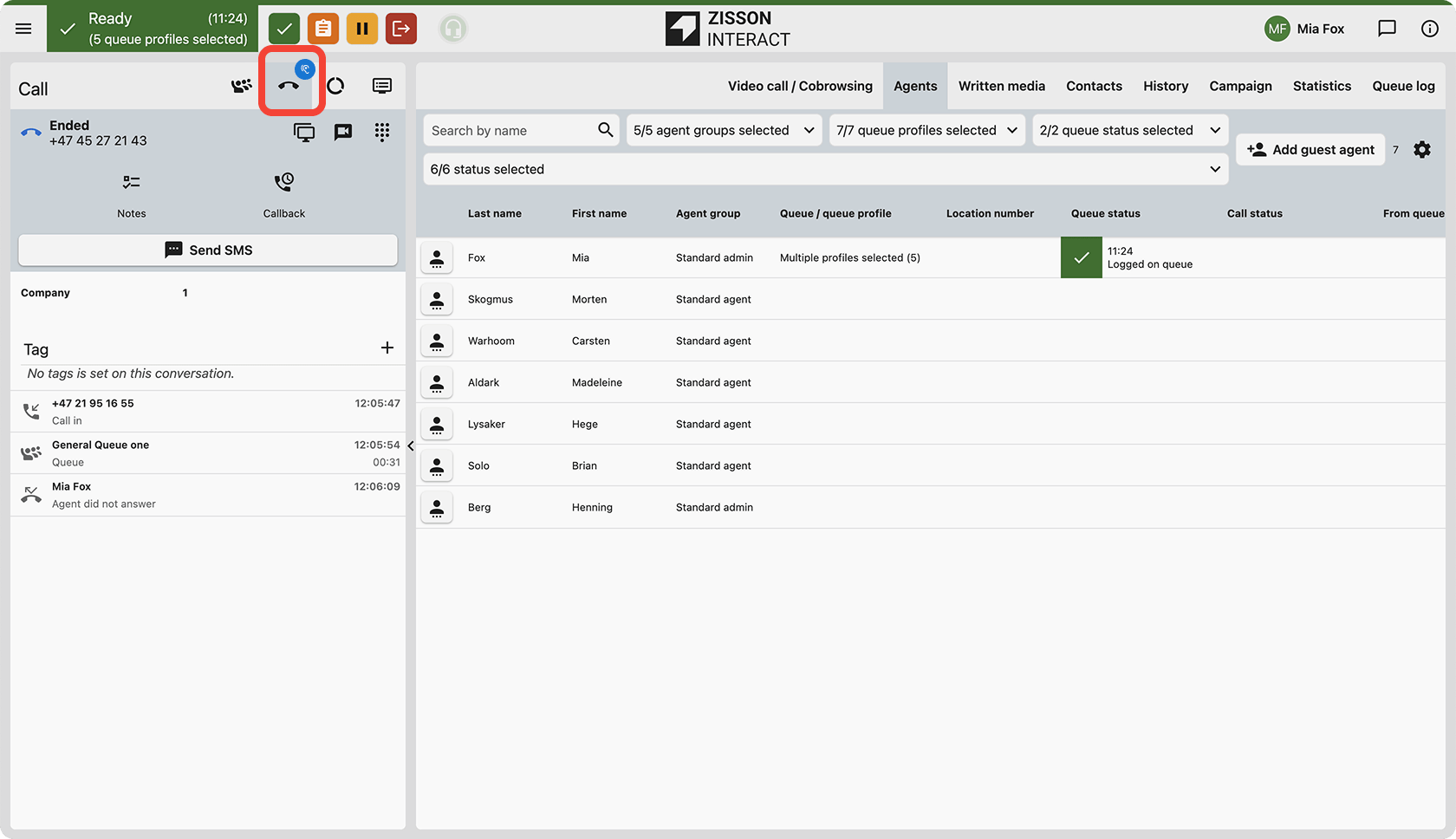
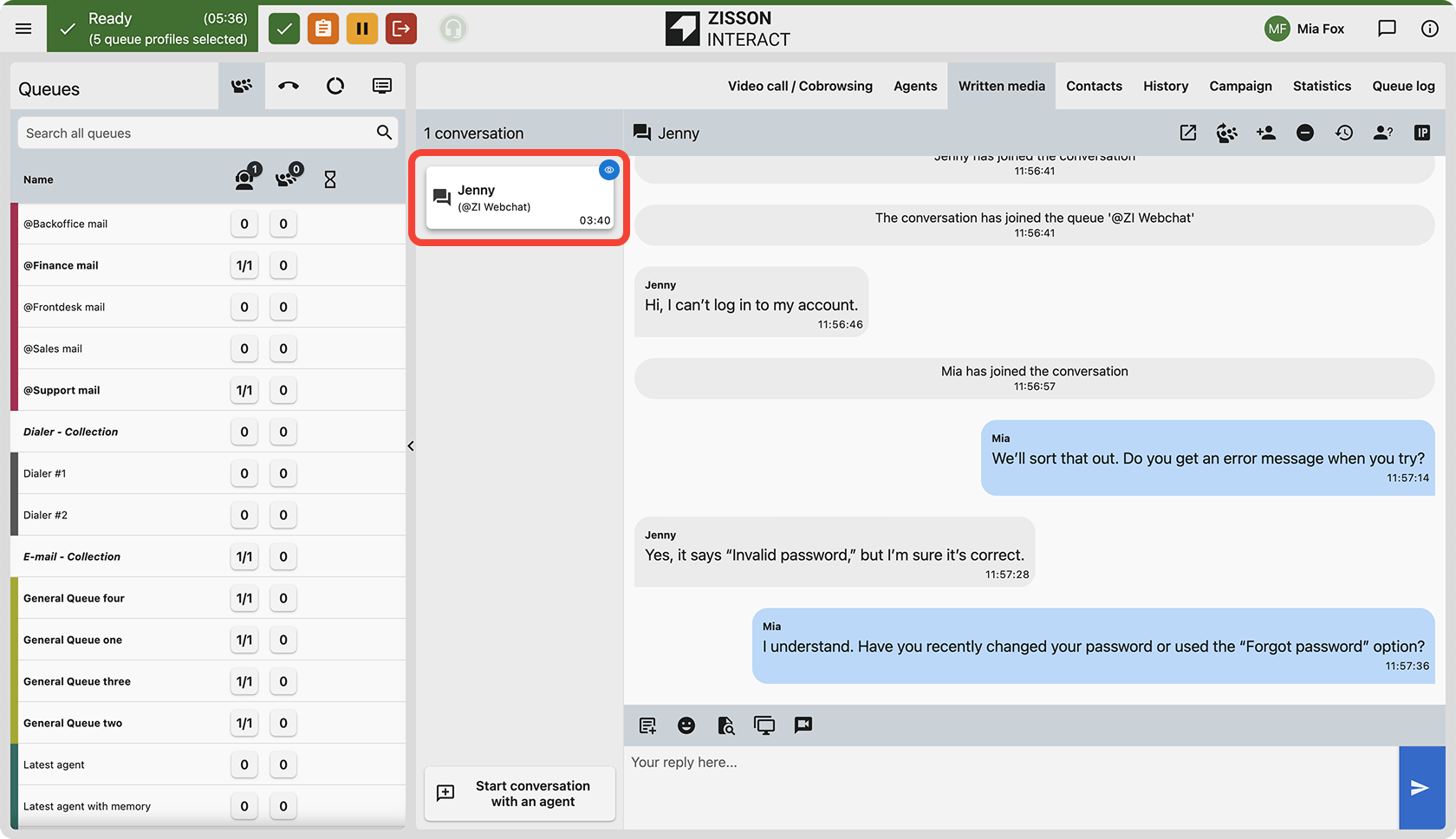
We are enhancing the Listen In functionality so you can choose whether Listen In is visible to the agent or completely hidden. This supports different coaching and compliance scenarios, letting you adapt to your internal policies and customer expectations.
How It Works
- A new configuration option lets you define if Listen In is visible to the agent or not.
- When visible, agents see a clear indication that a supervisor is listening in.
- When not visible (coaching mode), supervisors can listen for quality monitoring without interrupting the ongoing conversation.
- The Listen In behavior is controlled centrally so you have consistent practice across your organisation.
How to Use
Available to customers using Listen In today controlled via a customer feature.
History – Call Outcome Details
What’s Coming
We’re updating Call Details in the History view to clearly show the call outcome and the reason a call did not connect.
How It Works
- Call Details now displays an explicit outcome with a mapped reason when the peer doesn’t connect.
- Examples include: Busy, No Answer, Failed/Unavailable, and Cancel.
- Outcome icons/text are aligned with the reason to avoid showing incorrect missed/received states.
- Invalid numbers are treated as No Answer in the current implementation.
How to Use
Open History and select a conversation. In Call Details you see the improvements.
AI:
Chat Agent – Azure AI Foundry Agents
What’s Coming
We are introducing improvements to our AI Chat agent connector, now supporting Azure AI Foundry Agents as a replacement for the older Assistant API.
How It Works
- Set up a connection to an Azure AI Foundry agent.
- Integrates with existing chat entry points and queues.
- Conversations can be seamlessly handed over to human agents with full context when needed.
- Can be configured as an assistant.
- Available in statistics via the ZI ExternalStatDB APIs.
How to Use
Offered as an add-on service.
Voice Agent
What’s Coming
We are adding support for a fully integrated virtual voice agent that behaves like a “real” agent in Zisson.
How It Works
- The AI voice agent is created as an agent inside Zisson.
- It can be added to queues and receive calls based on your queue logic.
- The AI agent appears in agent monitor, statistics, and queue overviews.
- Calls with the AI agent can be recorded, listened in on, and transferred.
- New transfer logic tools support queue routing, number transfer, continue, and hang-up flows.
How to Use
Offered as an add-on service. Talk to your sales or CSM to enable the AI voice agent feature for your tenant.
Chat improvements:
Chat Widget – Sound Control
What’s Coming
We are introducing a new setting on the Chat Entry Point that allows administrators to control whether chat sound notifications are enabled or disabled by default.
How It Works
- A new setting has been added to the Chat Entry Point configuration.
- Admins can choose whether the chat widget starts with sound notifications ON or OFF.
- Default behaviour remains ON unless changed.
- If set to OFF, the chat widget will launch muted on the customer side.
- Customers can still manually enable sound notifications during the chat.
How to Use
Available to all customers using Zisson chat.
Chat Widget – Improved WCAG Support
What’s Coming
We are improving the chat widget’s accessibility and behaviour when customers use larger font sizes in their web browser.
How It Works
- The widget layout adapts better to increased browser font sizes.
- Text, input fields, and buttons scale more predictably.
- The overall chat experience remains usable and visually consistent.
How to Use
No configuration is required – the improvements are built into the chat widget.
Integrations & API:
O365 – New Integration Package
What’s Coming
We are releasing a new O365 integration package that supports the latest Microsoft API features and allows more restricted access scopes.
How It Works
- A new O365 integration package replaces the older implementation over time.
- Separate apps and permissions for different services mean access can be limited to only what is needed.
- The new O365 contact import uses a dedicated contact app.
- Existing integrations continue to work during the transition period.
How to Use
Administrators need to consent to the new apps and re-authenticate before use.
Telavox – Presence End Time
What’s Coming
We are improving the Telavox integration by collecting and showing end time on presence status from Telavox.
How It Works
- Presence information from Telavox now includes end time when available.
- The integration uses the new contact status API for presence and line state.
- Updated logic ensures presence is handled in line with the new core presence model.
How to Use
Presence and line state for Telavox-synced contacts automatically use the new logic.
Salesforce – Enhanced Chat Tasks
What’s Coming
We are enhancing the Salesforce integration to add more information to chat tasks.
How It Works
- Chat-related tasks now include call duration.
- The whatId field is populated so tasks are linked to Salesforce records.
- Changes apply to new tasks created after the upgrade.
How to Use
Update your Salesforce app to a version supporting the new features. Available from ZI Salesforce app version 1.206.
LeadDesk CPAAS – Inbound SMS
What’s Coming
We now support inbound SMS via the LeadDesk SMS gateway.
How It Works
- A new LeadDesk Inbound SMS integration is available.
- Inbound SMS from LeadDesk is delivered into Zisson and routed to queues or agents.
- Messages are handled like other SMS interactions.
How to Use
Order an inbound SMS number and configure an incoming SMS entry point in Zisson admin.
ExternalStatDB – Conversation Session Flow API
What’s Coming
We are adding a new endpoint in the External StatDB API that returns the full conversation session flow for a given zid.
How It Works
- A new endpoint allows requesting a full conversation session flow by zid or ConversationId.
- The response includes key events and transitions for the conversation.
- This can be used for advanced reporting, troubleshooting, or analytics.
How to Use
Access follows existing API authentication and permissions for External StatDB.
UX & Smaller improvements:
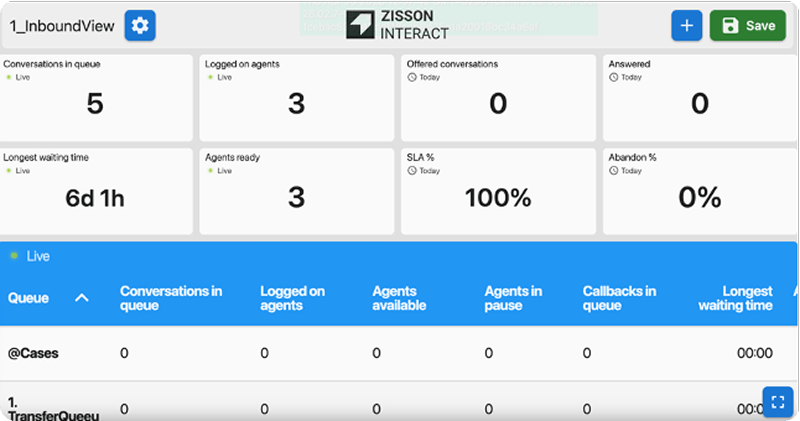
Wallboard – Resizing and Scaling
What’s Coming
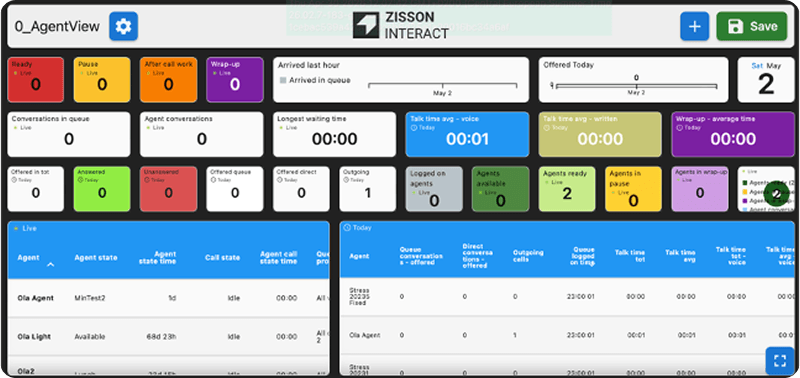
We are improving the Wallboard so it scales better across a wider range of screen sizes and resolutions.
How It Works
- Updated scaling logic adjusts widgets and layout automatically.
- Content is optimised to avoid clipping or excessive empty space.
- Wallboards remain readable and consistent between displays.
How to Use
Open your existing Wallboards as usual – the new scaling is applied automatically.
Bug fixes and functional improvements
What’s Coming
This release also includes multiple bug fixes and functional improvements across the platform.
- Recording: Improved email handling for agent-initiated recordings.
- Blind transfer: Implemented disconnect event handling.
- Automations: Fixed SMS scheduling failures.
- Enquiry log: Resolved slowness in registration.
- Sound files: Fixed issue with saving new sound files.
- Statistics: Quarter and half-hour intervals display correctly.
- Group SMS: Fixed missing language tag.
- Contacts: Visible column selections are now saved correctly.
- Chat: Fixed missing chat name when starting conversations.
- Call routing: Fixed calls dropping after greetings.
- Callback: Corrected callback call details and added “Converted to CBK”.
- Dialer: Resolved agents getting stuck in Wrap-up.
- History: Fixed errors in history and queue logs.
- Wallboard: Fixed widgets reverting after refresh.
- Video: Fixed black screen during initiation or mute.
- Recording: Fixed audio being recorded during mute/hold.
- SMS history: Fixed missing history for SMS via API.
- Display number: Fixed outbound display number showing as “unknown number”.
- Chat entry points: Fixed text editing issues.
- Contact field: Improved text contrast.
- EAS: Fixed jobs failing when referencing deleted queues.
- Entertainer: Fixed editing issues for long descriptions.